
PDF to PNG Converter
If you have ever tried to convert a PDF document into an image then you know the struggle. Most online tools promise a “free” service but the moment you upload your file then they hit you with a blurry image or demand your email address to download the result. Therefore I always like tool like told in this post How to Convert PDF to PNG in High Resolution for Free.
In the fast paced digital world of the USA, nobody has time for low quality results or annoying sign up forms. That is why a free image to text converter without login and high quality PDF converters are becoming the go to choice for professionals and students alike.
Why Quality Matters: The High-Resolution Advantage
Standard PDF converters often “rasterize” your pages at a low DPI (Dots Per Inch), making the text look fuzzy and the graphics pixelated. This is a nightmare if you are trying to use those images for a presentation, a website or a social media post.
Our High Resolution PDF to PNG Converter uses an advanced rendering engine that scales your document to 2.0x zoom, ensuring that every letter is crisp and every color is vibrant. There are many other types of converter.
The Benefits of a “No Login” Tool
Why should you choose a tool that doesn’t require an account?
Instant Productivity: You don’t have to wait for a “verification email.” Just upload, convert and download.
Privacy & Security: When you use a browser based tool like ours on atozlives.com, your files stay on your computer. They are not uploaded to a distant cloud server where they can be stored or leaked.
Zero Spam: No account means no marketing emails clogging up your inbox.
Are You Excited To Read about AI Then Click Here…
3 Simple Steps to Convert PDF to PNG on Windows 11 & Mac
You don’t need to install heavy software like Adobe Acrobat to get professional results.
Follow these steps:
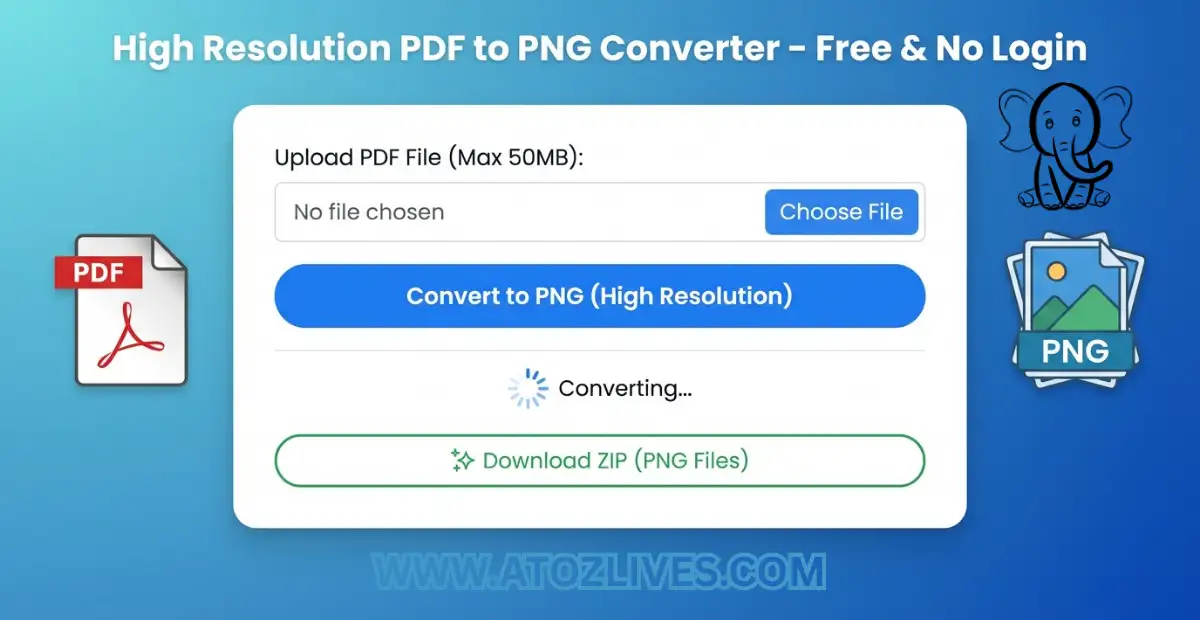
Upload: Select your PDF file from your desktop or mobile device.
Convert: Click the “Convert to PNG (High Res)” button. Our tool will process each page individually.
Download: Once finished, you will receive a single ZIP file containing all your pages as high quality PNG images.
Are You Ready To Get Paid To Review Apps On Your Phone Then Try It…
Conclusion
If you are looking for the best way to convert PDF to PNG in high resolution for free without login, look no further.
Whether you are working on a Windows 11 machine or an iPad, our tool provides the clarity you need without the privacy risks of traditional converters.
One more important browser based tool Free Online ZIP File Creator & Extractor are also available.
FAQs
1. Is this PDF to PNG converter really free?
Yes, it is 100% free with no hidden charges. You can convert as many files as you want without ever reaching a limit.
2. Do I need to create an account or login?
No. We value your time and privacy. Our tool is a free image to text and PDF converter without login requirements. Just upload and convert.
3. Is my data safe on atozlives.com?
Absolutely. Unlike other online tools, our converter is browser-based. This means your files are processed locally on your computer and are never uploaded to our servers.
4. How is the quality of the converted PNG?
We provide high resolution output. Our engine scales the PDF to 2.0x zoom, ensuring the resulting PNG images are crystal clear and professional.
5. Can I convert multiple pages at once?
Yes. Our tool processes every page of your PDF and bundles them into a single, easy to download ZIP file.
6. Does this work on Windows 11 and Mac?
Yes, it works on any device with a web browser (Chrome, Safari, Edge). It’s the easiest way to change PDF to PNG on Windows 11 without software installation.
7. Is there a file size limit?
Since the processing happens on your own device’s RAM therefore the only limit is your computer’s power. Most standard PDFs convert in seconds.
8. Can I use this tool on my mobile phone?
Yes, the pdf to png converter is fully mobile responsive. You can convert PDFs to PNGs directly from your iPhone or Android gallery.
9. Why choose PNG over JPG for PDF conversion?
PNG is a “lossless” format, meaning it keeps the text sharp. If you need to extract text from scanned handwritten notes later, PNG provides much better clarity for OCR engines.
10. What happens if my conversion fails?
Make sure your file is a valid PDF and not password protected. If the issue persists, refresh the page and try again. No data is lost because nothing was uploaded!
“Live Chat Jobs – You have to try this one”
Ready to Begin?
➜ Click Here to explore top-rated affiliate programs on ClickBank!
➜ Reach Our Free Offers: “Come Here To Earn Money By Your Mobile Easily in 2025.”
Want To Read More Then Click Here…
If You Are Interested In Health And Fitness Articles Then Click Here.
If You Are Interested In Indian Share Market Articles Then Click Here.
Thanks To Visit Our Website-We Will Wait For You Come Again Soon…