

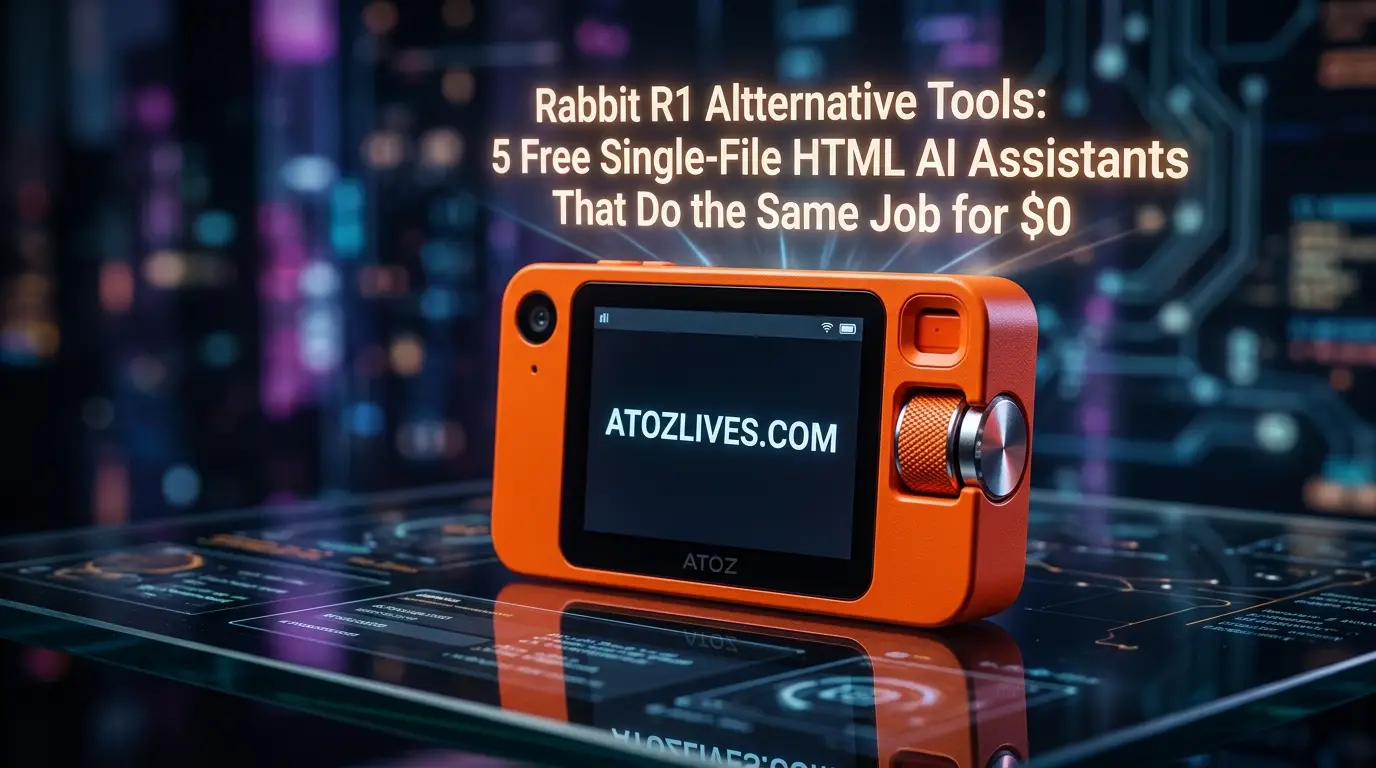
The compact orange hardware trend promised a revolution in how we interact with artificial intelligence, teasing a future where standalone pocket gadgets would completely replace the friction of smartphone apps and heavy desktop browsers.
When the hype train rolled out, many tech enthusiasts jumped on board, expecting a seamless blend of hardware and local software intelligence.
However, the reality of managing separate battery lifespans, dealing with connectivity drops and paying hefty upfront prices for what essentially amounts to an automated script wrapper left a lot of folks looking for a simpler exit strategy.
My personal turning point happened during a busy week of managing multiple web development projects and content rollouts.
I was juggling a physical companion device on my desk, waiting for it to process a simple travel itinerary summary, when the battery suddenly died.
Rather than searching for a charging cable, I decided to build a lightweight, single-file HTML web interface on my laptop using basic browser scripting APIs and a free API key.
In less than twenty minutes, I had a responsive, self-hosted dashboard running right inside a standard browser tab. It handled voice input, text summaries and API requests instantly, completely bypassing the need for a separate piece of plastic hardware.
That absolute realization proved that you do not need expensive standalone hardware when you can run the exact same operational logic inside a zero-cost, single-file web document.
The true magic of artificial intelligence lies within the software model and the layout that renders it, not the plastic casing around it.
By utilizing lightweight HTML structures combined with clean client-side JavaScript, you can build or deploy local interfaces that communicate directly with open APIs.
This setup gives you total ownership of your data, zero monthly subscription overhead, and absolute control over the user interface.
Let us break down five incredible single-file HTML alternatives that deliver the identical core utility of a handheld gadget without requiring you to open your wallet.
Are You Ready To Get Paid To Review Apps On Your Phone Then Try It…
Why Single-File Web Documents Outperform Standalone Hardware
When you strip away the clever marketing campaigns, a pocket AI device is fundamentally a custom client interface wrapped around a cloud-based server.
It relies on internal components to process voice commands, send data packets to a remote server and display the returned text or media cards on a small screen.
A single-file HTML application does the exact same thing but it utilizes the incredible processing power and hardware integration already present inside your smartphone, tablet or laptop.
Standard web browsers possess deep integration with your device hardware, offering built-in access to microphones, cameras and local storage storage systems.
When you build a tool inside a single .html document, you eliminate complex installations, server maintenance fees and corporate tracking ecosystems.
You can open the file offline, run it locally from a thumb drive or host it for free on basic static hosting platforms.
How to Start a Blog in 2026: A Step-by-Step Guide for Beginners
| Operational Feature | Premium Hardware Gadgets | Single-File HTML Applications |
| Upfront Hardware Cost | Generates a significant initial price tag | Absolutely free to create and use |
| Subscription Overhead | Often requires ongoing data or model plans | Uses free tier API tokens or local models |
| Data Privacy Control | Passes user inputs through corporate servers | Connects directly from browser to API endpoints |
| Interface Customization | Locked down by proprietary operating systems | Fully editable via standard CSS and layouts |
| Device Lifespan | Subject to battery degradation and obsolescence | Runs infinitely on any modern web browser |
1. The Voice Activated Task Automator Dashboard
The primary selling point of compact AI gadgets is the push-to-talk simplicity that lets you speak a request and receive an immediate action.
You can build this exact mechanism inside a single HTML file by utilizing the native Web Speech API available in modern browsers.
This system translates your spoken words into clean text strings entirely on the client side, then forwards that structured text directly to a chosen language model API.
To make this tool highly effective, the single-file setup includes a simple layout featuring a massive, interactive recording toggle button and a dynamic output card area.
When you hold down or click the toggle, the browser records your voice input, converts it into an immediate text prompt and appends a pre-made system instruction that forces the model to act as an automation assistant.
The response returns as a clean action plan, complete with structured steps or automated code outputs.
This local dashboard eliminates the annoying microphone lag often found in dedicated hardware devices.
Because the audio transcription happens directly inside your browser engine, the text is processed almost instantly, sending a highly accurate prompt payload to the server.
You can easily customize the background style, button animations and font sizes by altering the embedded styles at the top of the single document.
Are You Excited To Read about AI Then Click Here…
2. The Multimodal Vision and Image Analysis Client
Another highly praised feature of dedicated companion devices is the ability to point a tiny camera lens at an object, snap a photo and ask the system to analyze what it sees.
A single HTML file can replicate this advanced visual processing by incorporating basic browser media capture constraints directly into a standard video tag layout.
By using the native media devices interface, the file requests permission to access your smartphone or laptop camera feed and displays it inside a sleek, responsive container.
A simple capture trigger freezes the current video frame, converts the visual pixel data into a compressed base-six-four data string and bundles it into an API request along with your text query.
This setup allows you to upload an image or use a live web camera to identify real-world objects, translate physical documents or extract text from signs.
Running a vision client inside an independent web file gives you a major advantage over proprietary gadgets: image clarity and framing control.
You can see exactly what the camera sensor is capturing on a massive display screen, ensuring the focus is perfectly sharp before sending data across the network.
Furthermore, since the entire process runs inside a temporary browser instance, no external company retains a permanent archive of your personal space or scanned documents.
Want To Get Online Cash…
3. The Real Time Dual Language Audio Translator
For frequent travelers or international business managers, having a real-time translation companion in your pocket is incredibly useful.
Instead of using a dedicated device, you can achieve smooth bilingual conversations using a two-button single-file HTML interface that leverages the browser speech synthesis engine alongside speech recognition.
The layout of this tool splits the browser screen into two distinct, high-contrast touch zones, each representing a selected language.
When a user taps a zone, the file activates the microphone with a specific language locale tag, capturing the precise phonetic nuances of that spoken tongue.
Once the cloud model finishes translating the phrase, the script passes the text output into the browser window speech synthesis speaker which instantly reads the translated message aloud in a natural voice.
This custom solution avoids the frustrating translation lag and volume clipping issues common in small, underpowered hardware speakers.
Because the application utilizes the robust audio processing chips inside modern smartphones, the playback is incredibly clear and loud enough for noisy outdoor environments.
The entire application operates smoothly within a single file, meaning you can save it directly to your phone home screen for instant access during international trips.
Are You Using Facebook, Twitter and YouTube (Get Paid To Use)
4. The Contextual Note Taker and Meeting Summarizer
Many professional users buy dedicated AI hardware simply to record long business meetings, generate organized lecture summaries and sync transcriptions to a cloud account.
You can build a superior, private variation of this workflow inside a self-contained HTML page that safely preserves your data within local browser storage systems.
This specialized single-file application features a clean, distraction-free text canvas sitting next to an ongoing audio recording stream.
As you speak or capture ambient room audio, the page continuously appends transcribed text segments into a running document body.

Once the discussion concludes, an automated script passes the massive block of text to a summary prompt template which quickly extracts action items, creates logical bullet lists and organizes the notes into clean headings.
Unlike proprietary cloud portals that charge monthly storage fees and lock your data behind corporate firewalls, this HTML tool utilizes local storage capabilities built into your browser.
Your private meeting transcripts, confidential business strategies and personal logs remain saved completely inside your local browser cache.
You can easily export the entire compiled document as a clean markdown file or a plain text document with a single button click.
You can go for this to get natural Glowing Skin.
5. The Advanced Formula and Code Generation Sandbox
For software engineers, digital creators, and analysts, the ability to rapidly prototype script functions, calculate complex math algorithms or debug syntax errors using natural language is a major productivity boost.
A single-file HTML workspace can easily act as an interactive coding playground by pairing a prompt terminal with a safe evaluation script.
The design of this tool features a split layout containing a prompt input area on one side and a live preview render frame on the other.
When you ask the system to generate a specific widget, interactive element or mathematical function, the script extracts the returned code block and injects it straight into an isolated sandbox element.
To get relief from Joint Pain , you can go for this.
This lets you view, test and interact with the freshly generated utility right inside the same browser tab.
This localized approach offers immense advantages over a tiny hardware screen that can barely display four lines of code at once.
In a desktop browser window, you can instantly review complex syntax structures, test interactive button flows and copy perfectly formatted code directly into your active production files.
It transforms your standard browser tab into a powerful, automated engineering terminal completely free of cost.
Master the Setup of Self-Hosted Client Files
Setting up these lightweight single-file tools requires absolutely no prior programming expertise or complex server software deployment.
Because HTML documents are entirely universal, you can create, modify and run them using standard text utilities already present on your computer system.
Creating Your First Application File
To begin building your custom workspace, simply open a basic text editor such as Notepad on Windows or TextEdit on a Mac computer.
Make sure you set the format type to plain text rather than rich text to avoid accidental hidden styling code. Copy your structured layout tags, script behaviors and style blocks into the blank document, then choose the save option.
Name your document something simple and ensure you replace the standard extension with a clean .html suffix. Once saved, you can double-click the file to watch it open instantly as a fully functional app inside your preferred web browser.
To get relief from Knee,Hip and Back Pain use it.
Securing and Utilizing Your API Access
These self-contained web files communicate directly with public artificial intelligence models, meaning you will need a personal access token or API key from a provider such as OpenAI, Anthropic or Google Gemini.
Most providers offer generous free trial tiers that provide thousands of free monthly request interactions. Once you register and generate a secret key string from your developer dashboard, you paste that code into the clearly designated text input box within your HTML page.
This token remains stored securely inside your local browser memory space, meaning it never travels to any third-party server outside the official API endpoint.
FAQs
1. Do I need to pay any ongoing monthly service fees to use these single-file HTML applications?
No, these tools are completely free to build and run because they utilize your own local browser engines and free-tier API keys provided directly by artificial intelligence developers.
2. Will these single-file web pages work properly on a mobile phone or tablet interface?
Yes, because these documents are written using standard responsive web design methods, they adapt perfectly to any mobile screen size when opened via browser apps on iOS or Android.
3. Is my sensitive data and conversation history kept safe when using a self-made HTML file?
Yes, your data security is significantly higher than with standard commercial hardware because all API requests travel directly from your local browser instance straight to the official model endpoint without passing through any intermediate corporate servers.
4. Can I use these browser-based utilities if my internet connection goes completely offline?
The basic layout structure and voice transcription interfaces will load perfectly while offline, but sending prompts to cloud-based models requires an active internet connection unless you link the file to a locally hosted model server.
5. How do I input my private API key into one of these custom single-file dashboards safely?
The application file includes a secure local text input area that saves your key directly inside the internal browser local storage vault, ensuring it is never exposed to the public or written into the raw file code.
6. Do I need to install advanced coding tools or browser extensions to run these applications?
No external installation is required because every modern web browser contains native support for the HTML, CSS and JavaScript engines used to run the entire interface framework.
7. Is it possible to customize the visual theme, colors, and font styles of these web files?
Yes, you can easily open the application file inside any basic text editing program and alter the standard CSS style values located near the top of the document to change the entire visual look.
8. Can these lightweight HTML utilities handle complex document uploads and full file analysis?
Yes, by using standard HTML file reader elements inside the document code, the script can easily convert text files, spreadsheets and PDFs into clean text strings to use as prompt context.
9. Why should I choose a single-file application over downloading a dedicated desktop software program?
Single-file applications offer incredible portability, leave zero installation footprints on your operating system registry and can be easily transferred between different devices using a basic flash drive or email attachment.
10. Where can I find the official API tokens needed to power the underlying intelligence models?
You can secure your private access tokens completely free of charge by creating a basic developer account on the official cloud portals of major providers such as OpenAI, Anthropic or Google AI Studio.
“Live Chat Jobs – You have to try this one”
Ready to Begin?
➜ Click Here to explore top-rated affiliate programs on ClickBank!
➜ Reach Our Free Offers: “Come Here To Earn Money By Your Mobile Easily in 2025.”
Want To Read More Then Click Here…
If You Are Interested In Health And Fitness Articles Then Click Here.
If You Are Interested In Indian Share Market Articles Then Click Here.
Thanks To Visit Our Website-We Will Wait For You Come Again Soon…